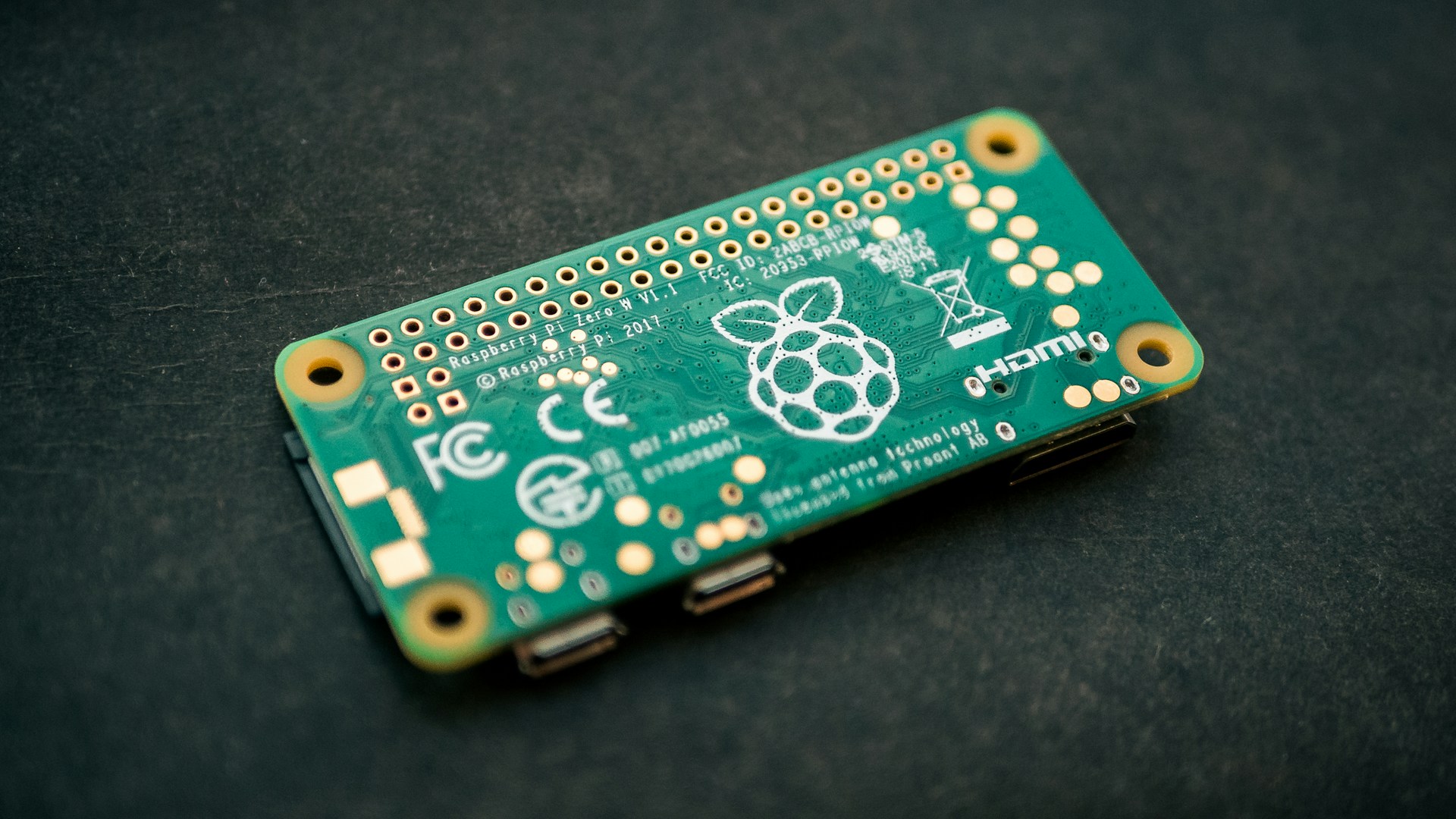
This scheme is the same as 1b, with the addition of a graceful shutdown script.
This scheme sets up:
- Device A (Key): holds part of the unlock secret
- Device B (Vault): encrypted storage
- Unlock flow: combines both to decrypt automatically
- Shutdown flow: vault switches to ciphernet, halts the key, locks LUKS, then halts itself
Phase 1 - key
cat << 'SETUP_EOF' > /tmp/initial-setup.sh
clear

set -Eeuo pipefail

on_err() {
  local exit_code=$?
  echo
  echo "FAILED"
  echo "Line: $1"
  echo "Command: $2"
  echo "Exit code: $exit_code"
  echo "Script kept at: $0"
  exit "$exit_code"
}
trap 'on_err $LINENO "$BASH_COMMAND"' ERR

screen -X hardstatus alwayslastline # enable screen header
screen -X caption always

echo "=== Creating unlocker service account =====================" && \
adduser --disabled-password --gecos "" unlocker && \
echo "unlocker:password" | chpasswd && \

tee /etc/ssh/sshd_config > /dev/null << 'EOF'
Match User unlocker
    PasswordAuthentication yes
EOF
systemctl restart ssh

screen -X caption string "%{= kG}===================== === *** You can set up the vault now *** ===="
screen -X hardstatus string "======================== Waiting for updates to finish ====================="
apt-get update
apt-get dist-upgrade -y
apt-get install ufw fail2ban screen hostapd -y
apt-get autoremove --purge -y
apt-get -y autoclean
screen -X hardstatus string "======================== Disable hostapd ====================="
systemctl disable hostapd

screen -X hardstatus string "%{= kg}=== Done, Wait until the vault is completed before resuming ====================="
SETUP_EOF
chmod +x /tmp/initial-setup.sh
echo "=== waiting on cloud-init ====================="
cloud-init status --wait
echo "=== Installing screen ====================="
sudo apt-get install screen -y
sudo screen -qm bash -c "/tmp/initial-setup.sh; exec bash"
Phase 2 — Vault: partition resize and LUKS setup
So now, boot up the encrypter without the SD card reinsert post-boot.
[!WARNING] be aware - the numbers in this script are for a 128gb sd specifically, adjust accordingly
cat << 'EOF' > /tmp/resize_and_luks.sh
#!/bin/bash
clear
echo "=== waiting on cloud-init ====================="
cloud-init status --wait
set -Eeuo pipefail

on_err() {
  local exit_code=$?
  echo
  echo "FAILED"
  echo "Line: $1"
  echo "Command: $2"
  echo "Exit code: $exit_code"
  echo "Script kept at: $0"
  exit "$exit_code"
}

trap 'echo "Failed at line $LINENO"; exit 1' ERR

read -s -p "Enter luks passphrase: " passphrase
echo
read -s -p "Confirm luks passphrase: " passphrase_confirm
echo

if [[ "$passphrase" != "$passphrase_confirm" ]]; then
    echo "Error: Passphrase do not match." >&2
    exit 1
fi

printf '%s' "$passphrase" > /tmp/key

echo "=== Installing updates & tools ====================="
apt-get update
apt-get dist-upgrade -y
apt-get install cryptsetup -y

echo "=== Checking root filesystem ====================="
e2fsck -fp /dev/mmcblk0p2 && \
echo "=== Shrinking root filesystem ====================="
resize2fs /dev/mmcblk0p2 8G && \

echo "=== Resizing partition table ====================="
parted /dev/mmcblk0 resizepart 2 60GB && \

echo "=== Re-expanding and verifying root filesystem ====================="
resize2fs /dev/mmcblk0p2 && \
e2fsck -f /dev/mmcblk0p2 && \

echo "=== Creating new partition ====================="
parted /dev/mmcblk0 mkpart primary ext4 64GB 124GB && \
echo "=== Formatting LUKS volume ====================="
cryptsetup luksFormat --batch-mode /dev/mmcblk0p3 /tmp/key && \
echo "=== Opening LUKS volume ====================="
cryptsetup open --key-file /tmp/key /dev/mmcblk0p3 encrypted_data && \
rm /tmp/key
echo "=== Creating ext4 filesystem inside LUKS volume ====================="
mkfs.ext4 /dev/mapper/encrypted_data && \
echo "=== Closing encrypted volume ====================="
sleep 5 && \
cryptsetup luksClose encrypted_data
EOF

chmod +x /tmp/resize_and_luks.sh
sudo /tmp/resize_and_luks.sh && \
echo "halting, start up with the sd card now"
sudo halt
Phase 3 — Vault: full provisioning
Now boot into the vault. This script configures the firewall, generates the service
SSH key pair, pushes the public key to the key device, derives the two-part
unlock credential, adds a second LUKS key slot, writes the
unlock-and-start.sh and lock-and-stop.sh helpers,
installs systemd services for shutdown-time locking, and configures cron to
auto-unlock on boot.
[!NOTE] Wait until the key is ready for this step, if it is finished setting up, you are ready
cat >/tmp/setup.sh <<'SCRIPT_EOF'
#!/usr/bin/env bash
screen -X hardstatus alwayslastline # enable screen header

set -Eeuo pipefail

on_err() {
  local exit_code=$?
  echo
  echo "FAILED"
  echo "Line: $1"
  echo "Command: $2"
  echo "Exit code: $exit_code"
  echo "Script kept at: $0"
  exit "$exit_code"
}
trap 'on_err $LINENO "$BASH_COMMAND"' ERR

read -s -p "Enter existing luks passphrase: " orig_passphrase
echo
read -s -p "Confirm passphrase: " orig_passphrase_confirm
echo

if [[ "$orig_passphrase" != "$orig_passphrase_confirm" ]]; then
    echo "Error: Passphrase do not match." >&2
    exit 1
fi

read -s -p "Enter luks 'service' passphrase: " passphrase
echo
read -s -p "Confirm luks 'service' passphrase: " passphrase_confirm
echo

if [[ "$passphrase" != "$passphrase_confirm" ]]; then
    echo "Error: Passphrase do not match." >&2
    exit 1
fi

screen -X hardstatus string "======================== Installing required packages ====================="
apt-get update
apt-get dist-upgrade -y
sudo apt-get install expect cryptsetup ufw fail2ban sshpass -y
sudo mkdir -p /mnt/secure
sudo chown -R "$USER:$USER" /mnt/secure

set +o history

screen -X hardstatus string "======================== Generating service SSH key pair ====================="
sudo -u username ssh-keygen -t ed25519 -C "service-account-unlocker" \
  -f /home/username/.ssh/id_ed25519 -N "" && \
sshpass -p 'password' sudo -u username ssh-copy-id \
  -i /home/username/.ssh/id_ed25519 \
  -o StrictHostKeyChecking=accept-new \
  unlocker@keyhostname.local

screen -X hardstatus string "======================== Deriving split unlock credential ====================="
REMOTE_KEY="$(
  printf '%s' "$passphrase" | \
  sshpass -p 'password' sudo -u username ssh -o ConnectTimeout=20 unlocker@keyhostname.local \
    -i /home/username/.ssh/id_ed25519 \
    "cat > .key; tr -d '\n' < .key && grep Serial /proc/cpuinfo | cut -d ' ' -f 2"
)"

CPU="$(grep Serial /proc/cpuinfo | cut -d ' ' -f 2)"
FULL_KEY="${CPU}${REMOTE_KEY}"
printf '%s' $FULL_KEY > /tmp/key

screen -X hardstatus string "======================== Adding second LUKS key slot ====================="
printf '%s' $orig_passphrase | cryptsetup luksAddKey /dev/mmcblk0p3 /tmp/key -
screen -X hardstatus string "======================== Setting default permissions ====================="
cryptsetup open --key-file /tmp/key /dev/mmcblk0p3 secure_drive
mount /dev/mapper/secure_drive /mnt/secure
chown -R "$USER:$USER" /mnt/secure
umount /mnt/secure
cryptsetup close secure_drive

screen -X hardstatus string "======================== Writing unlock helper scripts ====================="
tee /usr/local/bin/unlock-and-start.sh >/dev/null <<'EOF'
#!/usr/bin/env bash

ssh-keygen -R keyhostname.local
REMOTE_KEY="$(
  ssh -q -o ConnectTimeout=20 -o StrictHostKeyChecking=accept-new unlocker@192.168.7.1 \
    "tr -d '\n' < .key && grep Serial /proc/cpuinfo | cut -d ' ' -f 2"
)"

if [ -z "$REMOTE_KEY" ]; then
    echo "Connection failed or Serial empty. Aborting."
    exit 1
fi

# this is a run once clean-up from local host-name
sudo sed -i \
  -e '/ssh-keygen -R keyhostname.local/d' \
  -e 's/-o StrictHostKeyChecking=accept-new //' \
  -e '/sudo sed -i/,/unlock-and-start.sh/d' \
  /usr/local/bin/unlock-and-start.sh

CPU="$(grep Serial /proc/cpuinfo | cut -d ' ' -f 2)"
FULL_KEY="${CPU}${REMOTE_KEY}"

echo "Decrypting LUKS partition..."
printf '%s' "$FULL_KEY" | \
  sudo /usr/sbin/cryptsetup open /dev/mmcblk0p3 secure_drive --key-file -

if [ -d "/mnt/secure" ]; then
    sudo /usr/bin/mount /dev/mapper/secure_drive /mnt/secure
    echo "Partition mounted at /mnt/secure"
else
    echo "Error: /mnt/secure directory does not exist. Aborting."
    exit 1
fi

sudo /usr/bin/nmcli connection down "ciphernet"
sudo /usr/bin/nmcli connection modify "netplan-wlan0-homewifi" \
  connection.metered yes connection.autoconnect yes
sudo /usr/bin/nmcli connection up "netplan-wlan0-homewifi"

echo "vault unlocked and online."
EOF

chmod +x /usr/local/bin/unlock-and-start.sh

screen -X hardstatus string "======================== Installing sudoers and lock service ====================="

echo 'username ALL=(ALL) NOPASSWD: \
  /usr/sbin/cryptsetup *, \
  /usr/bin/umount /mnt/secure, \
  /usr/bin/mount /dev/mapper/* /mnt/secure, \
  /usr/bin/tailscale up *, \
  /usr/bin/nmcli *, \
  /sbin/halt' | \
  sudo EDITOR='tee -a >/dev/null' visudo -f /etc/sudoers.d/username-unlock
sudo chmod 440 /etc/sudoers.d/username-unlock


screen -X hardstatus string "======================== Setting up boot service ====================="

tee /usr/local/bin/boot.sh >/dev/null <<'EOF'
#!/usr/bin/env bash
set -Eeuo pipefail
/usr/bin/nmcli connection down "netplan-wlan0-homewifi"
/usr/bin/nmcli connection modify "netplan-wlan0-homewifi" \
  connection.metered no \
  connection.autoconnect no
/usr/bin/nmcli connection modify "ciphernet" \
  connection.autoconnect no
/usr/bin/nmcli connection up "ciphernet"
EOF

chmod +x /usr/local/bin/boot.sh

tee /etc/systemd/system/boot-connection.service >/dev/null <<'EOF'
[Unit]
Description=Set NetworkManager connection properties
After=network.target NetworkManager.service
Wants=NetworkManager.service

[Service]
Type=oneshot
ExecStart=/usr/local/bin/boot.sh
RemainAfterExit=yes

[Install]
WantedBy=multi-user.target
EOF

systemctl enable boot-connection.service

screen -X hardstatus string "======================== Automated editor - hands off! ==="
sudo -u username EDITOR=nano expect -c '
  spawn crontab -e
  sleep -1
  expect -re "GNU nano"
  send "*/2 * * * * /usr/local/bin/unlock-and-start.sh >> /tmp/unlock.log 2>&1 \r \u0018"
  expect -re "modified buffer"
  send "y"
  expect -re "Write to file"
  send "\r"
  expect eof
'

tee /home/username/prep-for-dest.sh > /dev/null << 'PREP_EOF'
#!/usr/bin/env bash
set -e

if [ -z "$1" ] || [ -z "$2" ]; then
  echo "Usage: $0 <wifi_ssid> <wifi_password>"
  exit 1
fi

DEST_SSID="$1"
DEST_PASSWORD="$2"

IFACE="wlan0"
CON_NAME="$DEST_SSID"
echo "Adding WiFi connection: $DEST_SSID"
sudo nmcli connection add type wifi \
  ifname "$IFACE" \
  con-name "$CON_NAME" \
  ssid "$DEST_SSID"
sudo nmcli connection modify "$CON_NAME" \
  wifi-sec.key-mgmt wpa-psk \
  wifi-sec.psk "$DEST_PASSWORD" \
  connection.autoconnect no

sudo sed -i "s/netplan-wlan0-homewifi/$CON_NAME/g" \
  /usr/local/bin/unlock-and-start.sh
sudo sed -i "s/netplan-wlan0-homewifi/$CON_NAME/g" /usr/local/bin/boot.sh
PREP_EOF

chmod +x /home/username/prep-for-dest.sh

tee /home/username/shut-system-down.sh > /dev/null << 'SHUTDOWN_EOF'
#!/usr/bin/env bash
set -Eeuo pipefail

echo "Switching to ciphernet..."
sudo /usr/bin/nmcli connection down "netplan-wlan0-homewifi" || true
sudo /usr/bin/nmcli connection modify "netplan-wlan0-homewifi" \
  connection.metered no \
  connection.autoconnect no
sudo /usr/bin/nmcli connection modify "ciphernet" \
  connection.autoconnect yes
sudo /usr/bin/nmcli connection up "ciphernet"

echo "Halting key device..."
ssh -q -o ConnectTimeout=30 unlocker@192.168.7.1 "sudo halt"
sudo halt
SHUTDOWN_EOF

chmod +x /home/username/shut-system-down.sh

screen -X hardstatus string "======================== Locking down networking ====================="
ufw default allow outgoing
ufw default deny incoming
ufw allow ssh
ufw limit ssh/tcp
ufw --force enable

screen -X hardstatus string "======================== Configuring Fail2Ban ====================="
cp /etc/fail2ban/jail.conf /etc/fail2ban/jail.local

cat <<'EOF' | tee -a /etc/fail2ban/jail.local >/dev/null
[sshd]
enabled  = true
port     = ssh
filter   = sshd
backend  = systemd
maxretry = 6
EOF

screen -X hardstatus string "======================== Installing Tailscale =====================" && \
curl -fsSL https://tailscale.com/install.sh | sh && \
tailscale set --operator="$USER" && \
{
  TAILSCALE_AUTH_KEY="tailscale-auth-key"

  if [ -n "$TAILSCALE_AUTH_KEY" ]; then
    tailscale up --auth-key="$TAILSCALE_AUTH_KEY"
  else
    tailscale up
  fi
} && \
ufw allow in on tailscale0 && \

screen -X hardstatus string "======================== Preparing home Wi-Fi profile =====================" && \
nmcli connection modify "netplan-wlan0-homewifi" \
  connection.metered no \
  connection.autoconnect no && \

screen -X hardstatus string "======================== Creating ciphernet profile =====================" && \
nmcli connection add type wifi \
  ifname wlan0 \
  con-name ciphernet \
  ssid ciphernet && \

screen -X hardstatus string "======================== Finalizing ciphernet settings =====================" && \
nmcli connection modify "ciphernet" \
  wifi-sec.key-mgmt wpa-psk \
  wifi-sec.psk secure-wifi-pw \
  ipv4.method manual \
  ipv4.address 192.168.7.3/24 \
  connection.autoconnect yes
screen -X hardstatus string "===================== final updates cleanups ====================="
apt-get autoremove --purge -y
apt-get -y autoclean
screen -X hardstatus off
clear
screen -X hardstatus string "%{= ky}===================== SAVE THE KEY! ====================="
echo "=== DONE, You can proceed to final key setup ====================="
echo "the service account's combined key is located at /tmp/key"
echo "it will be lost after the system is shutdown or rebooted"
echo "in order to revoke the combined key, you will need it"
echo "it isn't suggested to 'cat' the key as it'll be in history"
echo "I suggest its copied to another media or even use 'scp'"
echo "reboot when done"
SCRIPT_EOF

chmod +x /tmp/setup.sh
echo "=== waiting on cloud-init ====================="
cloud-init status --wait
echo "=== Install screen ====================="
sudo apt-get install screen -y
sudo screen -qm bash -c "/tmp/setup.sh; exec bash"
Phase 4 — Key: lock down SSH and create a hot spot
Disables password SSH, restricts the unlocker account to key-only auth,
and creates the ciphernet Wi-Fi hot spot.
cat << 'END_OF_FILE' > /tmp/setup-hot-spot.sh
#!/bin/bash
clear

set -Eeuo pipefail

on_err() {
  local exit_code=$?
  echo
  echo "FAILED"
  echo "Line: $1"
  echo "Command: $2"
  echo "Exit code: $exit_code"
  echo "Script kept at: $0"
  exit "$exit_code"
}
trap 'on_err $LINENO "$BASH_COMMAND"' ERR

screen -X caption string ""
screen -X hardstatus string "=== Applying firewall rules =====================" && \
sudo ufw default allow outgoing && \
sudo ufw default deny incoming && \
sudo ufw allow ssh && \
sudo ufw limit ssh/tcp && \
sudo ufw --force enable && \
screen -X hardstatus string "======================== Setup fail2ban ====================="
sudo cp /etc/fail2ban/jail.conf /etc/fail2ban/jail.local

# locking ssh down
sudo rm  /etc/ssh/sshd_config

sudo tee /etc/ssh/sshd_config > /dev/null << 'EOF'
Match User unlocker
    PasswordAuthentication no
    AuthenticationMethods publickey
    AllowTcpForwarding no
    X11Forwarding no
EOF

screen -X hardstatus string "======================== Starting ciphernet hot spot setup ====================="

# Must run as root
if [ "$EUID" -ne 0 ]; then
    echo "Run with sudo."
    exit 1
fi

screen -X hardstatus string "======================== Configuring hostapd ====================="
systemctl unmask hostapd

screen -X hardstatus string "======================== Writing hostapd config ====================="

mkdir -p /etc/hostapd

cat > /etc/hostapd/hostapd.conf <<'EOF'
interface=wlan0
driver=nl80211
ssid=ciphernet
hw_mode=g
channel=6
wmm_enabled=0
macaddr_acl=0
auth_algs=1
ignore_broadcast_ssid=0
wpa=2
wpa_passphrase=secure-wifi-pw
wpa_key_mgmt=WPA-PSK
rsn_pairwise=CCMP
EOF

echo 'DAEMON_CONF="/etc/hostapd/hostapd.conf"' | sudo tee  /etc/default/hostapd

screen -X hardstatus string "======================== Disabling home Wi-Fi autoconnect ====================="
nmcli connection modify "netplan-wlan0-homewifi" \
  autoconnect no
systemctl enable hostapd

screen -X hardstatus string "======================== Marking wlan0 unmanaged by NetworkManager ====================="
sudo mkdir -p /etc/NetworkManager/conf.d
cat <<'EOF' | sudo tee -a /etc/NetworkManager/conf.d/unmanaged.conf  >/dev/null
[keyfile]
unmanaged-devices=interface-name:wlan0
EOF

screen -X hardstatus string "======================== Setting static IP ====================="
cat <<'EOF' | sudo tee -a /etc/systemd/network/10-wlan0.network  >/dev/null
[Match]
Name=wlan0

[Network]
Address=192.168.7.1/24
EOF

sudo systemctl enable systemd-networkd

screen -X hardstatus string "======================== Allowing unlocker to halt ====================="
echo 'unlocker ALL=(ALL) NOPASSWD: /sbin/halt' | \
  sudo EDITOR='tee -a >/dev/null' visudo -f /etc/sudoers.d/unlocker-halt
sudo chmod 440 /etc/sudoers.d/unlocker-halt

screen -X hardstatus off
echo rebooting!
END_OF_FILE
chmod +x /tmp/setup-hot-spot.sh
sudo /tmp/setup-hot-spot.sh && \
sudo reboot
Phase 5 - Preparing for destination
[!WARNING] Confirm your vault comes online, after this point it will only connect to the destination wi-fi
On vault run this command with the info of your choice!
echo "=== Adding destination wifi ====================="
~/prep-for-dest.sh destination dest-wifi-pw
echo "=== All done! ====================="